The Label field is a special field that enables the user to add some specific data to a subject. This fact can then be used to call a subject's image and or data onto a template.
A common use of the Label field is to label subjects as teachers. The label can then be used with a text box to call the teacher’s data and image into a template.
Figure 1, below, illustrates the use of labels “Teacher” and “Principal” to call subject images and data onto a composite template.
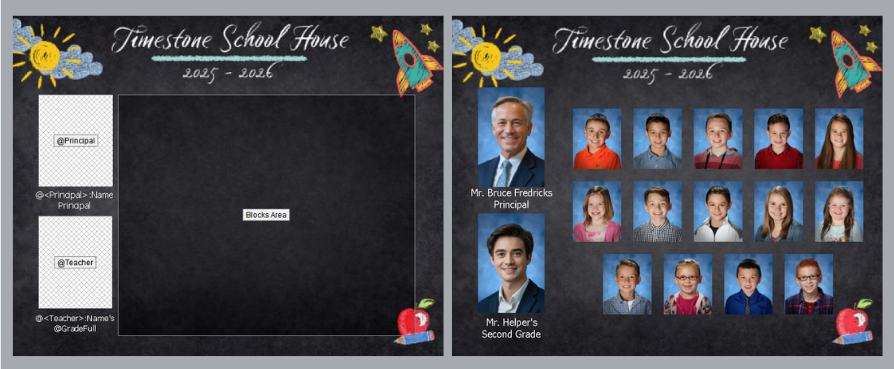
Figure 1: Labels being used to call specific subjects into a composite
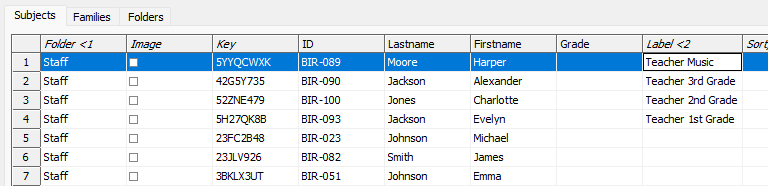
Figure 2: Subjects with data in the label field
Labels can be manually entered by double-clicking the desired field or by importing data via text file into the Label field. The text file is imported in the normal way, selecting the setup button allows the user to map the Label field together with other fields in the text file.
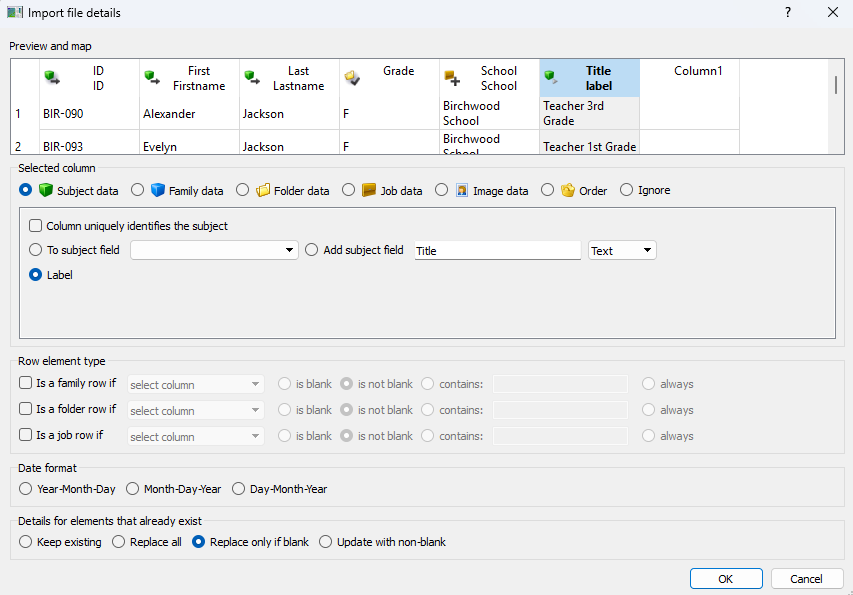
Figure 3: Mapping data into the Label field at import
‘Temporary’ Labels
Labels can also be added temporarily on a case-by-case basis from the labels tab in the Subjects to Include and Composite Settings windows in Item Sheets and Form Pages Modes, respectively. These labels will call the Subject onto the formed item sheet or template page, only for the sheet or composite currently being formed.
To add a “temporary label, simply select the desired subject from the labels tab and type in the displayed field. Subjects with “permanent” labels entered or imported in details mode will have those labels appear in Italics.
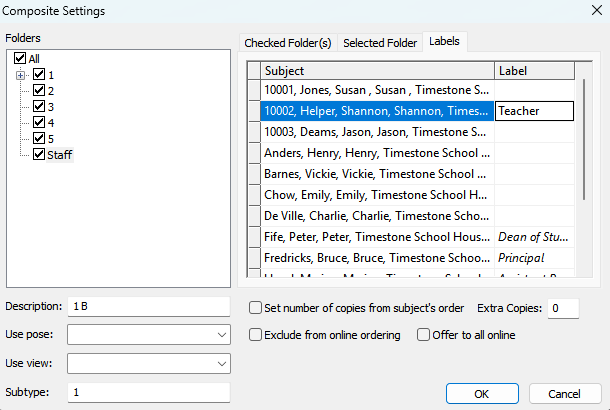
Figure 4: The Composite Setting window with a “temporary” label added
FAQ
What is the purpose of the Label field?
The Label field allows users to add specific data to a subject, which can then be used to call a subject's image and data onto a template at will.
What is a common use for the Label field?
A common use of the Label field is to label subjects as principals, administration, coaches, and teachers, allowing their data and images to be called into a template.
How can I add labels to subjects?
Labels can be manually entered by double-clicking the desired field or by importing data via a text file into the Label field.
Can labels be added temporarily?
Yes, labels can be added temporarily on a case-by-case basis from the labels tab in the Subjects to Include and Composite Settings windows.