Backprint information is managed in the Backprint text area of the Print Setup window. It can include both static and variable content, allowing the user to backprint static content, such as the company name and a copyright date, along with variable data, such as subject and order information.
The Print setup window
The Print Setup menu is accessed via File> Print Setup or from the Print window by clicking the Setup button.
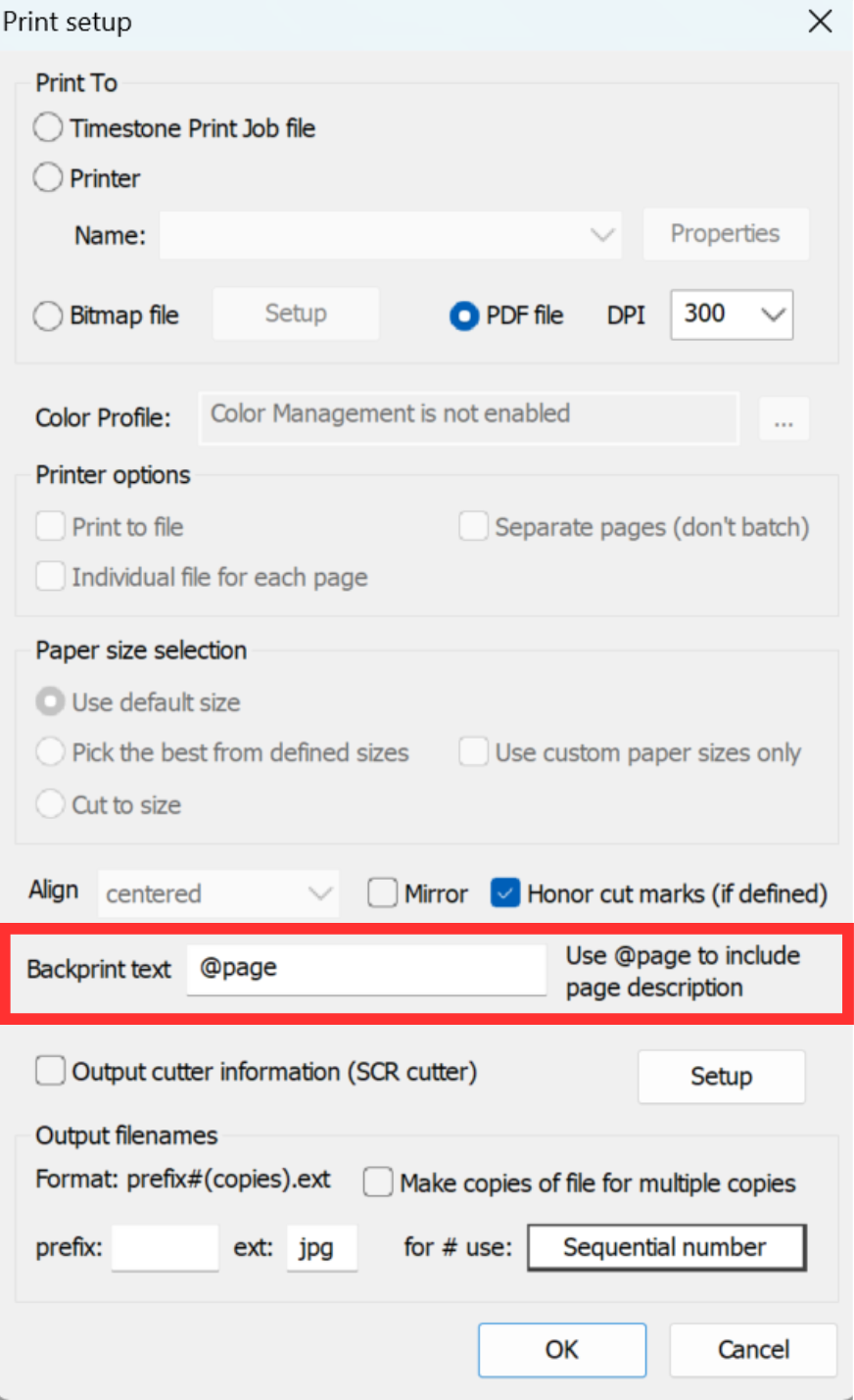
Figure 1: The Print setup window
Backprint information may be entered directly into the Backprint text area of the Print Setup window, highlighted in red in Figure 1.
Examples
Some commonly used backprinting strings are as follows:
@page
©PhotographyCo 2026
@ID @Lastname @Firstname
@imagefilename
@orderkey @name
CAUTION
Check the available number of backprinting characters dictated by the printer. Timestone Software allows the backprinting string to be any length. The backprinting string being longer than the maximum allowed by the printer will result in truncated text or possibly a printer error.
If the printer supports multiple lines of backprinting, once the maximum number of characters in the first line is met the system moves on to the second line automatically.
The @page code
A common backprinting code is @page, which gives the page description as displayed below a page in the queue. This, in turn, can be managed with As Tags.
FAQ
What content can be included on backprinting?
Backprint information can include static information, such as a company name, as well as Variable data, such as an image file name, subject name, and/or order key.
What is the purpose of the @page code?
The @page code provides the page description as displayed below a page in the queue.
Is there a character limit for backprinting strings?
The character limit of a backprint is dictated by your printer, not Timestone Software. Please check your printer's documentation for more information. Exceeding this limit may result in truncated text or printer errors. If the printer supports multiple lines of backprinting, once the character limit is met, then the text will flow to the second line.