The /%I Barcode, also referred to as the “Find image” Barcode, allows the user to find a specific image by searching for its image number, filename, or tag.
The Format for the barcode is:
/%I{x}{Image}
Where {x} is:
F or T to specifically search for a filename
N to specifically search for a number
/ to search for a filename or a number
and {image} is the image
Filename
Tag (filename without extension)
Number
Examples:
To find an image by its filename, the barcode could be encoded with
/%I/@imagetag or /%I/@imagefilename
To find an image by its image number, the barcode is encoded with
/%IN@number
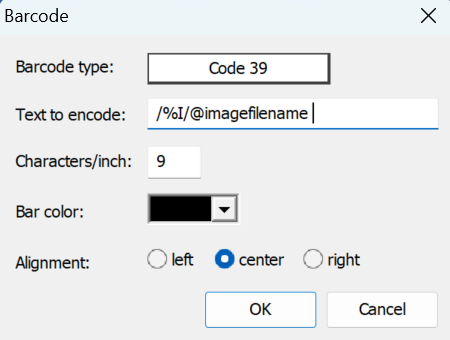
Figure 1: Barcode settings window displaying information for encoding the /%I/@imagefilename barcode
When to use a Find Image Barcode
The Find Image barcode has many uses, including:
In Details Mode of NeoPack and Outpost — Scan the find image barcode, optionally scan an order barcode, or enter orders manually
In Images Mode — Scan the find image barcode to locate an image for editing
In Form Packs Mode — Scan the find image barcode, optionally scan an order barcode, enter orders manually, or check if an order has been placed for this image.